What are the benefits of Facebook ads for a retail chain?
Managing Facebook campaigns can quickly become complex, but local campaigns simplify the work for physical businesses. This article reviews their operation, the formats available for Facebook and Instagram, how to configure a local audience, and the recommendations to follow to build an effective campaign.
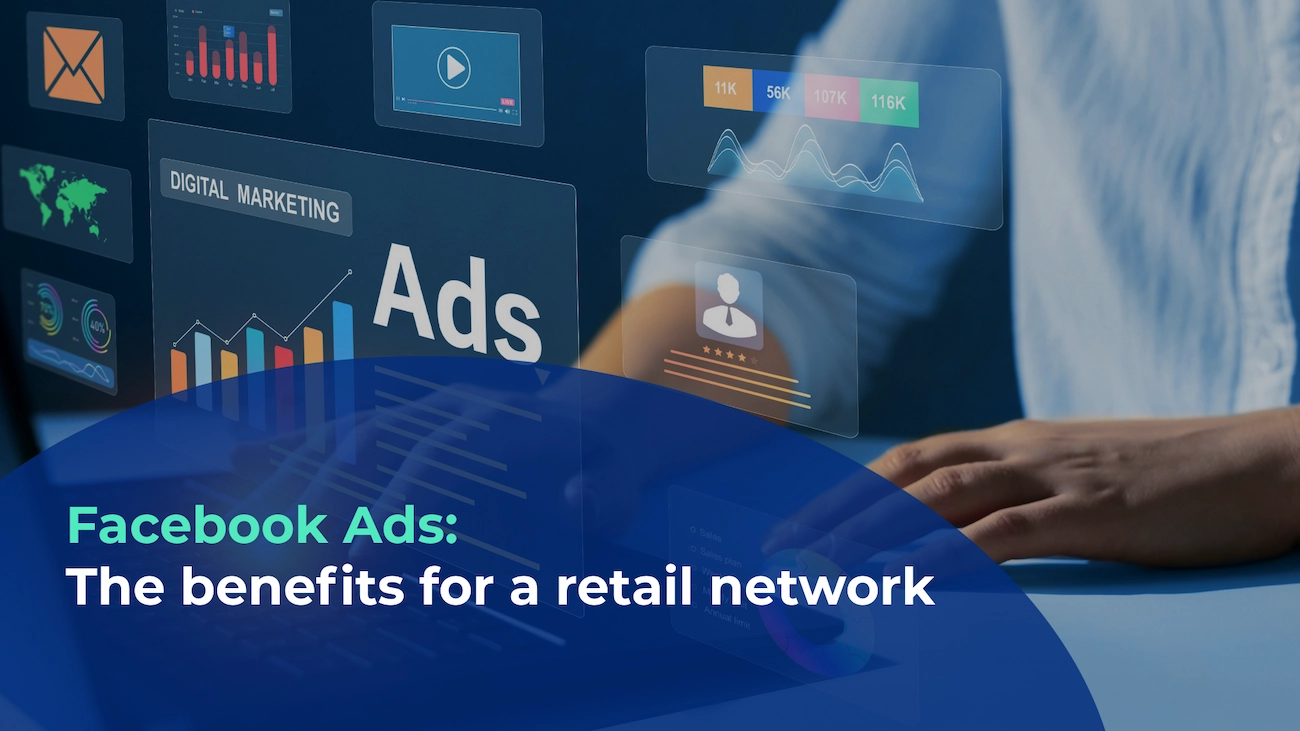
Due to the many existing features, a platform like Facebook Business Manager can quickly become complex in organizing digital campaigns. For store or retail chain owners, it's difficult to find time to familiarize themselves with such platforms. That's why Facebook offers them the possibility to easily create local "Facebook ads" campaigns, a format that meets their needs.
Indeed, this digital advertising format allows physical stores to promote their services and products to potential customers located in a nearby geographic area. Local campaigns meet the needs of physical stores to bring customers to the location.
In this article, discover:
- The specificity of local Facebook campaigns
- The different Facebook 'local' advertising formats
- Building a local Facebook campaign
- Our recommendations
1. The specificity of local Facebook ads campaigns
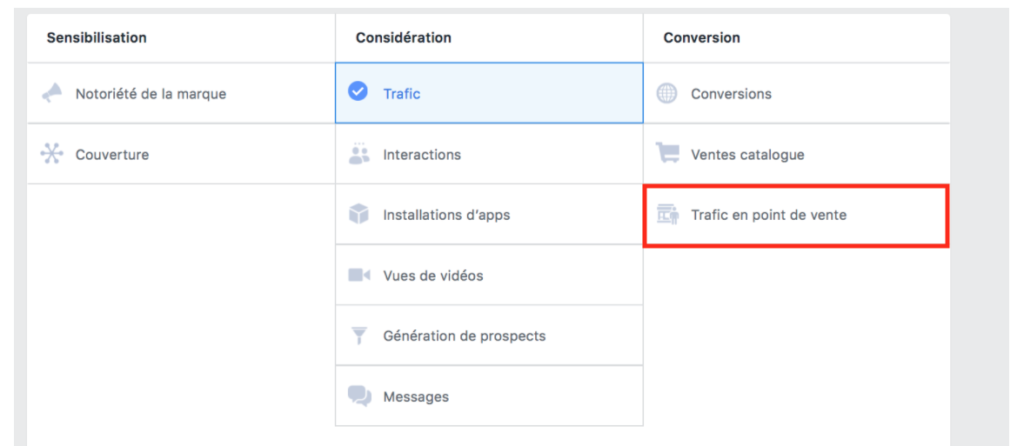
As explained above, Facebook offers a “Store Traffic" feature in its campaign objectives. By identifying this campaign goal, Facebook ads will appear to people who have a profile that is interesting for the brand and are close to the point of sale. This allows you to attract the prospect's attention to the presence and services and products offered at the point of sale.
A local campaign is very useful for reaching potential customers because it increases online visibility of one or more points of sale. Reaching new customers is generally complicated. That's why it's interesting to be on a platform like Facebook, which represents around 2.7 billion active users in 2020 (Statista, 2020). In addition, we must not forget that Facebook also owns Instagram, Facebook Messenger, and Whatsapp! The Facebook network has managed to collect a more than significant amount of user data, which allows for the creation of very targeted campaigns
Indeed, the true power of Facebook is to be able to refine the audience of your local campaign based on age, gender, and other variables such as specific interests or behaviors. It's an extremely interesting tool when you know the profile of your potential customers well. It's still advisable not to be excessively specific with demographic parameters at the risk of reducing your audience.
In addition, the Facebook Ads Manager platform provides extremely comprehensive reporting on the visibility of your campaign. In addition to information such as CPR (“cost per rating point”), CPM (“cost per mille”), CPC (“cost per click”) and average daily costs, the platform also indicates the reactivity rate by demographic section such as gender, age or location. To learn more, visit Facebook Business.
2. The different Facebook ads formats
Facebook offers many different ad formats depending on the type of message you want to convey. However, with the "Store Traffic" option as a campaign objective, the options are limited to Facebook and Instagram Feed (the basic interface of these two networks) or Stories (special interface with zoom on posted content).
For these 4 options, it is possible to publish:
- An image: the simplest format with an image and a direct link to invite you to discover the address, products or services, etc…
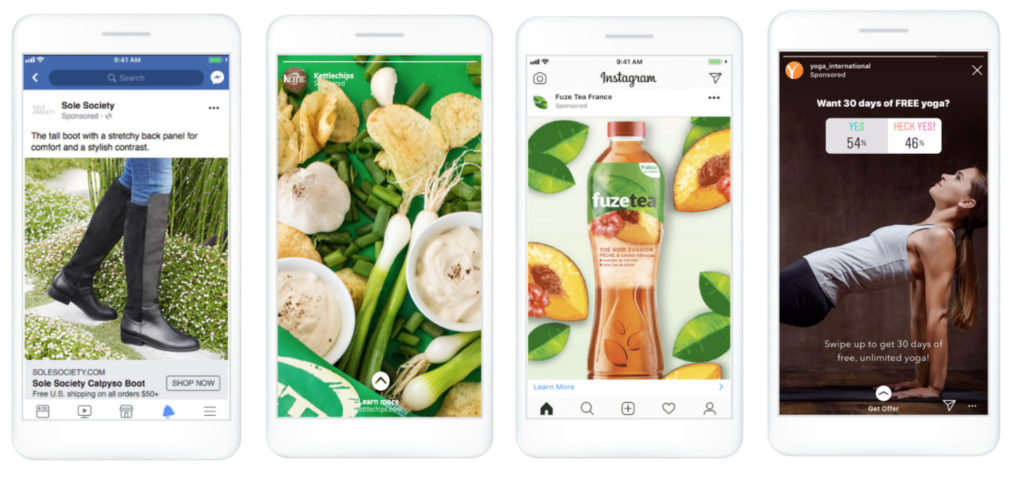
- A video: a more interactive format that attracts attention. It is useful for detailing the message in greater depth. Also contains a link to bring the customer to a digital interface providing useful information to get to the location.

- A carousel: a set of photos that will allow to show a range of products, a series of messages or others. Is very useful if the retailer wants to showcase new products or a new campaign for example.
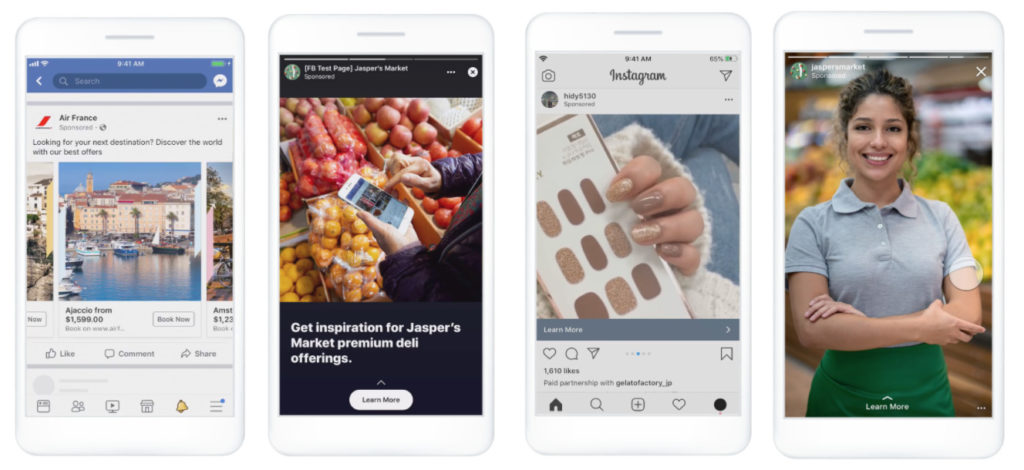
- A collection: This format includes a cover image or video and product images (4 product images for Facebook and 3 for Instagram). Note that the carousel format is not possible in Facebook stories with the objective of in-store visits! A "instant experience" link allows this format to redirect to a full-screen landing page when the ad is clicked. This makes it possible to announce a collection release or promote a set of products belonging to the same collection.

In addition to the generic formats described above, Facebook offers other more specific formats. Two specific formats stand out for retail chains:
- Facebook Dynamic Ads: This format automatically presents products to people who have shown interest in your brand online. The campaign setup and resource upload is required only once. Facebook will then make sure to find the product that corresponds to the prospect. To learn more, check out this Facebook article
- Facebook Lead Ads: This format allows you to collect information on prospects with the use of instant forms. A person interested in your services or products can directly fill out the form where they can fill in their name, email address, phone number, and more. There is the possibility of including personalized questions that are more specific to your industry or business objectives. To learn more, check out this other Facebook article.

3. Building a local Facebook campaign
To build a Facebook campaign, you first need to have a Facebook Places page (local page for businesses). It's essential to have your local Facebook page well-integrated into Facebook Business Manager to link it to your campaign. If that's already done, you can go directly to Facebook Ads Manager to create your local campaign.
In general, the simplest way to create a campaign is to sponsor a post that already exists on the point of sale page. To do this, simply select the “boost post” option for the post you want to promote. Then you will go through the campaign creation steps: objective, audience, budget, duration and placement. This ad format is very useful for promoting organic content that brings you closer to your audience. Indeed, this type of advertising is often used to share content that immerses your brand's daily life. This also allows you to increase your visibility beyond your existing followers.
- Choose your campaign objective:
In Facebook ads manager, click on “Create” in the “Campaign” tab. Facebook offers 11 different campaign objectives. Check out this article to learn more about these different objectives. In the case of retail chains, the objective of the point of sale will be “Store traffic”.
- Define your audience:
The next step is to define your audience by placing fairly general demographic variables: in the “locations” section, it is interesting for retail chains to use the “People recently in this place” option to target people who are close to the point of sale. It is possible to widen the targeting radius around the store.
Moreover, if your target is more specific, it is also possible to refine the audience with the “advanced targeting” interface. This tab provides a multitude of specific variables that are worth exploring.


The power of Facebook is that the platform is extremely comprehensive thanks to its massive collection of user data. It's a very interesting tool because it allows companies to refine their audiences as best they can. We advise you to browse the entire local campaign creation interface to see all the possible variables.
Beforehand, we advise you to analyze your target with the “Facebook Audience Insight” tool, which is a real goldmine for knowing your audience. With this tool, it is possible to associate a type of brand that resembles your brand or to see the pages visited for a specific audience.
3. Choose the locations of your campaigns
Then, you will need to choose the locations where the ad will be displayed. As explained previously, for the "in-store traffic" campaign objective, placements are limited to Facebook feed and stories and Instagram feed and stories. You will then need to upload the image and/or video content and the text prepared in advance.
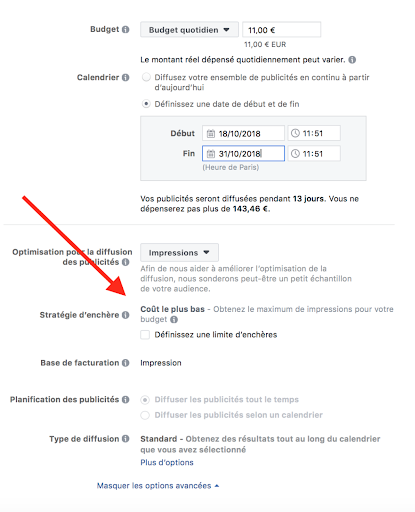
4. Specify your budget and schedule:
You have two options for the campaign budget: choose a daily budget or a total budget for the entire campaign. Keep in mind that it's more economical to set a total budget because the campaign will only be placed when your target audience is most likely to be on Facebook. After choosing the budget, you can then set a start and end date for the campaign. If you don't want to have a time limit, it's also possible not to define a date.
5. Choose the campaign format:
Finally, it is time to select the format used for your campaign. As explained previously, you will have the possibility to use different formats depending on your campaign objective.
4. Our recommendations
- Keep format sizes in mind: When creating content such as images, text and videos, it's essential to keep in mind the size, quality and other variables. For more information, this article will give you all the necessary measurements
- Test different types of content and audience: We advise you to test different types of content for your campaigns. Indeed, a more formal tone, for example, may yield lower results than a more accessible tone. On the other hand, an audience that is too targeted reduces the conversion rate. Make sure to identify the content that best resonates with your audience by implementing A/B testing. Here's an article that discusses it in more detail.
- Follow Facebook ads trends: we also advise you to follow the trend of digital campaigns. To learn more, here is an article with 2021 trends!
- Use Facebook Pixel: It's recommended to use Facebook pixel; a piece of code to be inserted into your site that allows you to track online conversions and analyze in detail the audience that brings you interest. You will be able to compare the rate of online visits and the one on site. More information, here.
- Track and optimize your campaign: It's possible that one campaign performs less well than another. In this case, try to identify the variables that were the cause. If you're just starting out, it's a good idea to run several small-budget campaigns to see what works best for you.
Facebook is a very comprehensive tool that is interesting overall for businesses that know their target well. For this tool, it is therefore essential to work beforehand on a strategy for local Facebook campaigns. When you are familiar with the platform, this intuitive tool is very useful for targeting precision.
Save time and gain visibility from today
Schedule a personalized demo and see how the platform optimizes every local action in your network.


Latest articles
Discover other selected articles to further explore the topic. To continue exploring the levers that really make a difference for your points of sale.
%20(1).webp)