Tutorial: Validate your establishments' registration on Google
Before managing your locations on Google Search and Maps, verifying your Google Business Profile listings is essential. This article explains why this step guarantees the reliability of local information, details the different verification methods available, and describes the procedure to follow if a listing is already claimed by another owner.
.webp)
Google Business Profile is the tool that allows brands to manage their presence in Google search results and on Google Maps. Before you can manage your local locations and view them online, you need to verify their listings to confirm that you are the owner (or administrator).
Why do you need to verify the Google listings of your local establishments?
Verification ensures the accuracy of the data relating to your points of sale on Google (stores, restaurants or agencies) and prevents others from taking ownership of local listings in your place. This verification process is necessary to be able to manage the information of your points of sale.
“Validated establishments are twice as likely to be considered reliable by users.”
Source: support.google.com/business
The validation process for your local Google listings
When you log in to Google Business Profile and select the outlet to validate, several options are available to you:
- Verification by mail
Vérifiez that l’address is correct. Then it takes about 2 weeks to receive a verification code à 5 digits. - Phone verification
You receive a verification code via an automated message. Make sure you can répond directly at the numéro of téléphone you indicated. - Email verification
You can do it directly in l’e-mail de validation that you have reçu or copy the code that s’y is found and paste it into your dashboard Google Business Profile.
Not all of these options are available for all business categories.
Once your point of sale sheet is validated, you will likely receive a notification inviting you to check and update the establishment's data if needed. So if you want to change the name of your local business, you will have the opportunity to do so when validation is performed.
Other people have already verified the establishments I want to manage. How can I claim them to become the primary owner?
It happens that some establishment listings are already verified. To find out, you need to log in to the Google Business Profile account you want to use to manage these outlets, then add the location to administer:
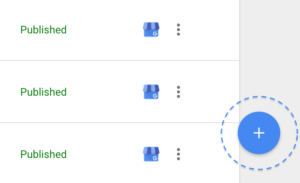
To check the status of the outlet you want to manage, start by clicking on the “ + “ icon and then on the location icon

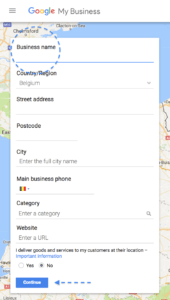
Then, in the first field on the next page, enter the name of the point of sale and select it as soon as it appears in the drop-down list. The other fields will be filled in automatically and you can continue.
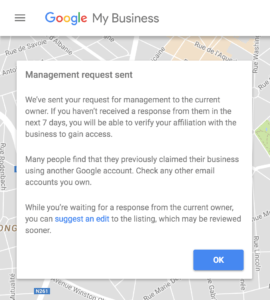
A dialog box is displayed to inform you that another person has already verified the business listing, with a preview of their email address. If you have multiple Google Business Profile accounts, it's possible that this other person is you or one of your colleagues. In this case, follow the procedure to link the location to the correct account by clicking on the link provided for this purpose. Otherwise, continue by clicking the button to request ownership.

You will receive a message and a confirmation email for your request specifying that while waiting for the response you can suggest changes to the listing (to change the opening hours for example). It is also specified that if you have not received a response within 7 days it will be necessary to check the status of your request directly in Google My Business.
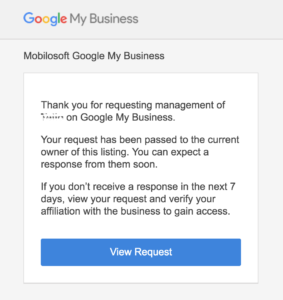
Following the claim request for a listing, three response options are available to you:
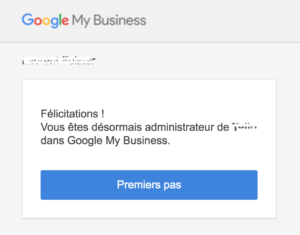
1. The request is accepted and you receive an acceptance email. Congratulations, you can start managing your business information!
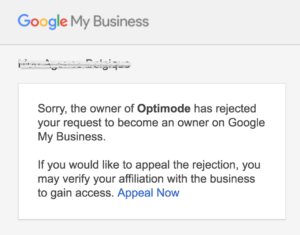
2. The request is rejected by the current owner and you receive a rejection email. You can appeal and reiterate your request to the Google My Business support this time.
3. The current propriétaire of the listing n'a pas réagi and no activité n’est visible on its account. Après 7 days, you must réitérer your request directly auprès du support Google Business Profile. Généralement, in this case, Google will take care of transférer the propriété to your account.
Want to know more?
[th-button text="Download the e-book" href="/wp-content/uploads/2021/03/EN-Guide-to-local-seo.pdf"]
Check out other articles on the subject...
Save time and gain visibility from today
Schedule a personalized demo and see how the platform optimizes every local action in your network.


Latest articles
Discover other selected articles to further explore the topic. To continue exploring the levers that really make a difference for your points of sale.